

Baby Monitor Cameras Australia 2026: WiFi vs Wireless, and What’s Worth Paying For
The night the bassinet finally leaves your bedroom is supposed to feel like progress. Mostly it feels like standing in a dark hallway with your hand on a door handle, doing the maths on whether opening it will settle you or wake her.
That is the real job a baby monitor camera does. Not surveillance, not data, just enough information to stop you getting out of bed six times a night to check a chest is rising. Most Australian parents go shopping for one somewhere around the four to six month mark, right when the cot moves down the hall and the old trick of listening across a dark room stops working.
The decision that stalls almost everyone is WiFi versus wireless. One camp promises you can watch from the office or show Nan the baby asleep in Adelaide; the other promises nothing you record ever touches the internet. Both arguments are legitimate, and the marketing on the box will not help you choose. Below we compare seven real baby monitors sold in Australia on the things that actually change your night: privacy architecture, range through brick walls, battery life on the parent unit, whether there is a subscription lurking, and approximate RRP ranges. Live pricing and where to buy sit in the comparison cards throughout, not in our copy.
WiFi vs wireless: what you are actually choosing between
These two categories look almost identical on a shelf. Both are a camera and a screen. Underneath, they are completely different pieces of technology with completely different failure modes, and knowing which failure you can live with is most of the decision.
What a WiFi baby monitor does
A wifi baby monitor joins your home network the way a smart TV does, then streams to an app on your phone. Because the video travels via the manufacturer’s servers, you can watch from anywhere with mobile data, share access with a partner or a grandparent, and receive push alerts for crying, movement or room temperature. These are also the models that get genuinely smarter over time, because the maker can push firmware and feature updates.
The trade-off is dependency. If your NBN connection drops out (and in plenty of Australian suburbs it does), the feed can go with it. Your phone becomes the parent unit, which means notifications, a battery that is also running everything else, and the temptation to scroll at 3am. And there is an account, a password, and a company somewhere holding footage of your child’s bedroom.
What a non-WiFi wireless monitor does
A wireless baby monitor with no internet function uses a closed radio link, usually FHSS on 2.4GHz or a DECT connection, between one camera and one parent unit. Nothing is on your network. Nothing routes offshore. There is no app, no login, no update, and no subscription. For a lot of parents that is the entire appeal, and it is a reasonable position rather than a paranoid one.
The limits are physical. Manufacturers quote range in open field, often 250m to 300m, and an open field is not a 1970s double-brick Californian bungalow with a tiled roof. In a typical Australian home, expect confident coverage across two or three rooms, patchier the moment you walk out to the clothesline behind a brick wall. You also cannot check in from work, and if you lose the parent unit down the side of the lounge, you have lost the monitor.
The hybrid, which is what most parents actually want
The fastest-growing group is the hybrid: a dedicated parent unit that talks to the camera directly, plus an optional app if you choose to connect the camera to your network. That gives you the reliable, distraction-free screen on the bedside table for nights, and remote viewing on the nights you are out and a babysitter is on the lounge. If you cannot decide, this is the honest answer.
So which is safer?
- Privacy risk: a non-WiFi baby camera is safer by design, because there is no account to breach and no cloud storage to leak. A WiFi model is only as safe as its encryption, its two-factor authentication and the password you chose.
- Reliability risk: a non-WiFi monitor keeps working when your internet is out or the power flickers, provided the parent unit has charge. A WiFi-only camera does not.
- Radio exposure: both use low-power 2.4GHz radio, and both must carry the Regulatory Compliance Mark (RCM) to be sold here, which covers electrical safety and radiocommunications compliance. If low emissions matter to you, look for a DECT model with an eco or voice-activated transmission mode that only transmits when there is sound.
- Feature risk: the clever alerts (covered face, rollover, cry classification, sleep analytics) essentially only exist on connected cameras. If you want those, you are choosing WiFi.
- Cost over time: a non-WiFi monitor is a one-off purchase. Several connected systems tie their best features to an ongoing subscription, which changes the real price considerably over two or three years.
Is a WiFi baby camera safe? Privacy in plain English
The horror stories that circulate in mothers’ groups are real, but they are usually not sophisticated hacks. Overwhelmingly, connected cameras get compromised because an owner reused an email and password combination that had already leaked in an unrelated data breach, or never changed a default password. That is fixable in five minutes.
What actually reduces the risk
- Turn on two-factor authentication the day you set the camera up. If a brand does not offer it, that tells you something about how seriously they take security.
- Use a unique password for the monitor account, not the one you use for everything else. A password manager makes this painless.
- Update the firmware when prompted. Security patches are the main reason updates exist.
- Secure the router too. A monitor on a network with a default router password is only as protected as that router. Consider a separate guest network for smart devices.
- Ask where the footage is stored. Some brands keep recordings on the device or on a microSD card with encrypted local storage; others store clips on offshore cloud servers. Neither is automatically wrong, but you deserve to know which one you bought.
The subscription question nobody asks in the shop
Read the plan structure before you commit, because it varies wildly. Some connected cameras give you live streaming, two-way talk and basic alerts free forever, and charge only for stored video history or sleep reports. Others put the alerts you bought the camera for behind the paywall after a trial period. Over three years, a subscription can quietly cost more than the hardware. This is the single biggest reason a well-made non-WiFi monitor can be better value than a cheaper connected one.
What to look for in a baby monitor camera
Ignore megapixel numbers for a moment. At 2am you are looking at an infrared image of a sleeping baby, and almost every monitor sold here manages that. These are the criteria that change how you actually feel at night.
- Night vision quality: infrared is the mode you will use for eleven hours a day in winter. A crisp mono night image beats a beautiful daytime 1080p picture you will rarely see.
- Parent unit battery life: the difference between eight hours and twenty hours is the difference between a monitor that dies at 4am and one you can leave on all night, every night.
- Screen-off audio mode: a good monitor lets you kill the light and keep the sound, so the glow is not sitting on your bedside table all night.
- Sound-activated (VOX) mode: keeps the screen dark until she stirs. Saves battery and saves your sleep.
- Pan, tilt and zoom: genuinely useful once she rolls and starts migrating to the far corner of the cot. A fixed camera aimed at an empty mattress tells you nothing.
- Range through real walls: quoted open-field range is marketing. If you have a double-storey or a rear extension, favour a hybrid or a model with a repeater option.
- Two-way talk: lets you settle her with your voice from the hallway before you commit to opening the door.
- Room temperature display: useful in Australian homes that swing from 12 degrees at dawn to 28 by 10am in a Queenslander or a west-facing apartment.
- Mounting options and cord length: you need to be able to mount the camera so the power cord never comes within a metre of the cot.
- Add a second camera later: if another baby is even a possibility, choose a system that pairs multiple cameras to one parent unit.
What the Australian Standards actually cover here
There is no baby-monitor-specific Australian Standard, and any brand implying otherwise is stretching things. What legitimately applies is the Regulatory Compliance Mark for electrical and radio compliance, plus the relevant Australian Standard for the electrical safety of the device and its power supply. The standard that governs the thing your baby is actually sleeping in is AS/NZS 2172 for household cots, which sets requirements for bar spacing, mattress fit, depth and structural safety; if you use a portable cot in the same room, AS/NZS 2195 is the one covering those. A monitor is an accessory to safe sleep, never a substitute for it.
The best baby monitor cameras in Australia for 2026
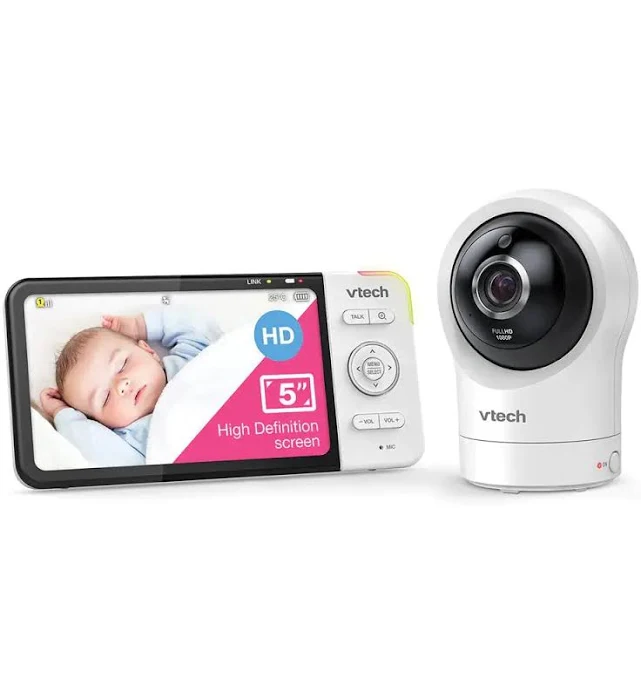
1. VTech RM5764HD Smart Wi-Fi HD Video Monitor
This is the pick we would point most Australian parents to, because it refuses to make you choose. You get a proper 5-inch dedicated parent unit that pairs directly with the camera, and you can optionally connect the camera to your home network to view it in VTech’s app when you are not home. On the nights you want nothing but a screen on the bedside table, it behaves like a traditional wireless baby monitor. On the night you have finally gone out for dinner, it behaves like a wifi baby monitor.
The camera does pan, tilt and zoom with 1080p HD video, infrared night vision, two-way talk and temperature reporting, and the system supports adding further cameras to the same parent unit, which matters if a second baby is on the horizon. Approximate RRP sits in the region of approx. $250 to $330, which is not cheap, but it is roughly what you would pay for a good non-WiFi model plus a separate connected camera.
- Dedicated parent unit means it keeps working if your internet drops, which a phone-only camera does not.
- Pan, tilt and zoom earns its keep from about six months, when she starts travelling around the cot.
- Expandable to multiple cameras on one screen, so it grows with the family.
- Trade-off: the app experience is functional rather than polished, and remote viewing quality depends heavily on your upload speed.
- Trade-off: two devices to charge and update, which is the price of the hybrid design.
VTech RM5764HD Smart Wi-Fi HD Video Monitor
2. VTech BM4700 Safe & Sound Pan & Tilt Video Monitor
If your priority is a monitor that simply works, with no account, no app and no ongoing cost, this is the sensible entry point. It is a closed-link, non-WiFi baby camera monitor with a compact colour parent unit, pan and tilt from the parent screen, infrared night vision, two-way talk, temperature display and lullabies. Nothing about it is fancy. Everything about it is the thing you actually need at 2am.
Approximate RRP tends to land somewhere around approx. $130 to $190, which makes it one of the least stressful purchases in the nursery. Parents consistently report the sound-activated mode and screen-off audio as the features they end up using most, and the simplicity means a grandparent minding the baby can pick it up without a tutorial.
- No internet connection at all, so there is no account to breach and no subscription to forget about cancelling.
- Genuinely simple: a partner or carer can operate it without being talked through an app.
- Pan and tilt at this price is unusual and useful.
- Trade-off: smaller, lower-resolution screen than the flagship models, and the night image is serviceable rather than sharp.
- Trade-off: no remote viewing, ever. If you want to check in from work, this is the wrong monitor.
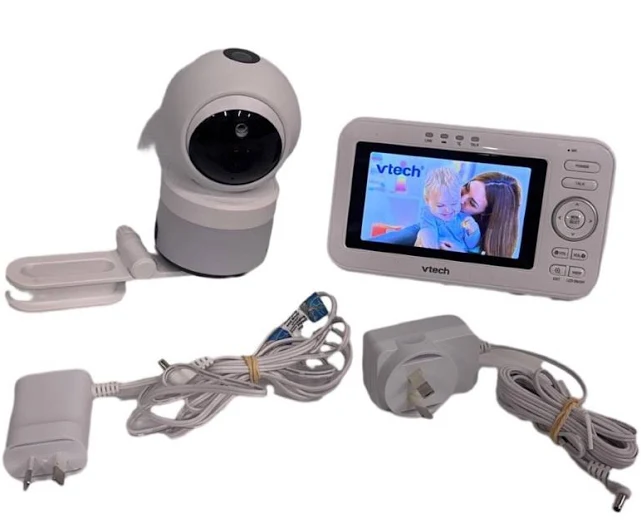
VTech BM4700 Safe & Sound Pan & Tilt Video Monitor
3. Cubo Ai Plus Smart Baby Monitor
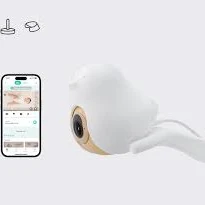
The premium pick, and the one aimed squarely at the specific fear that gets parents out of bed. Cubo Ai is a connected camera with on-device AI that watches for a covered face, for the baby rolling onto their stomach, and for movement outside a zone you set (useful once she can climb). It also does cry and cough detection, automatic sleep summaries and time-lapse photos, and the bird-shaped stand options mount well over a cot without dangling cords near the mattress.
Approximate RRP for the camera and stand generally runs around approx. $450 to $600 depending on the mount you choose, and there is a subscription tier for the fuller feature set and longer video history, so budget for the ongoing cost rather than the sticker alone. It is worth being clear-eyed about what the AI is: a helpful second pair of eyes, not a medical device, and not something that prevents SIDS.
- Covered-face and rollover alerts address the exact 2am worry better than any other camera in this list.
- Excellent image quality day and night, and the sleep analytics are genuinely readable rather than gimmicky.
- Mount design keeps the power cord well clear of the cot, which is a real safety win.
- Trade-off: app-only, with no dedicated parent unit, so your phone is the monitor and your internet is a dependency.
- Trade-off: the subscription materially changes the three-year cost. Read the plan before you commit.
Cubo Ai Plus Smart Baby Monitor
4. Oricom Nursery Pal Cloud OBH500
Oricom is an Australian-founded brand and its local support is a quiet advantage when something needs replacing at eight months old. The Nursery Pal Cloud pairs a 5-inch touchscreen parent unit with a pan, tilt and zoom camera and adds optional app access, so it sits in the same hybrid category as our overall pick with a slightly more tactile parent unit. Approximate RRP is usually in the range of approx. $250 to $330.
The touchscreen is the differentiator: swiping to pan the camera at 3am is faster and quieter than hunting for arrow buttons, and the interface is easy to hand to a carer. Room temperature, two-way talk, lullabies and a sound-activated mode are all present, and the system supports additional cameras.
- Australian brand with local warranty support, which matters more than parents expect until it doesn’t work.
- Touchscreen parent unit is quick and intuitive in the dark.
- Works as a closed-link monitor if you never connect it to WiFi, so you can opt out of the cloud entirely.
- Trade-off: a glossy touchscreen picks up fingerprints and can be a little bright even at low settings; use the screen-off audio mode overnight.
- Trade-off: app reliability is reported as variable depending on router and connection quality.
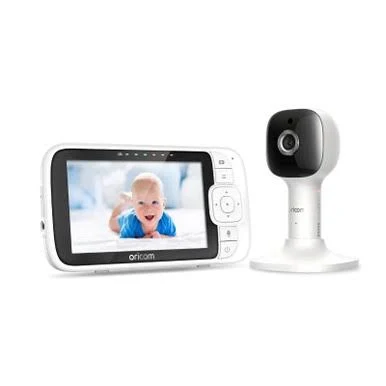
Oricom Nursery Pal Cloud OBH500
5. Oricom Secure875
For parents who have decided, firmly, that no camera in their child’s bedroom is going anywhere near the internet, this is the one to look at. The Secure875 is a straight non-WiFi monitor: a 5-inch colour parent unit, a pan-tilt-zoom camera, infrared night vision, two-way talk, temperature alerts and lullabies, with a closed FHSS link and nothing else. Approximate RRP typically sits around approx. $200 to $260.
What you are paying for over the budget pick is screen size, better night-vision clarity, and a longer-lasting parent unit that can realistically run all night. What you are not paying for is any form of remote access, and that is the entire point.
- Completely offline by design: no app, no account, no firmware, no subscription, ever.
- Bigger, clearer parent unit screen than budget models, which makes the night image far easier to read at a glance.
- Multiple cameras can pair to the one parent unit for siblings or a play area.
- Trade-off: range degrades noticeably through double brick and across two storeys, so check your layout before you settle on a non-WiFi model.
- Trade-off: no way to share a view with a partner who is away, which some parents miss more than they expected.
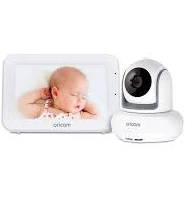
Oricom Secure875
6. Angelcare AC327 Movement Monitor with Video
This is the system for the parent whose specific fear is breathing, not crying. The AC327 combines a video and audio monitor with a wireless sensor pad that sits under the cot mattress and detects movement, sounding an alarm if it senses no movement for 20 seconds. It is non-WiFi, so the whole system stays off your network. Approximate RRP generally runs around approx. $300 to $400.
Be honest with yourself about how you will respond to it. Movement pads are known for false alarms if the baby rolls to the very edge of the mattress or if the pad is placed on a slatted base without the required rigid board underneath, and an alarm at 3am that turns out to be nothing is its own kind of awful. Used correctly, though, plenty of parents describe it as the thing that finally let them sleep. It is not a medical device and cannot prevent SIDS: Red Nose Australia’s safe sleep advice (baby on the back, feet to foot, clear cot, smoke-free) remains the actual protection.
- Under-mattress sensor pad addresses the specific 2am fear that a camera alone cannot.
- Entirely offline, so there is no privacy trade-off to weigh up.
- Pad is wireless, which keeps another cord out of the cot area.
- Trade-off: false alarms are common if setup instructions on mattress and base type are not followed exactly.
- Trade-off: for some anxious parents a movement alarm increases vigilance rather than reducing it. Know which type you are.
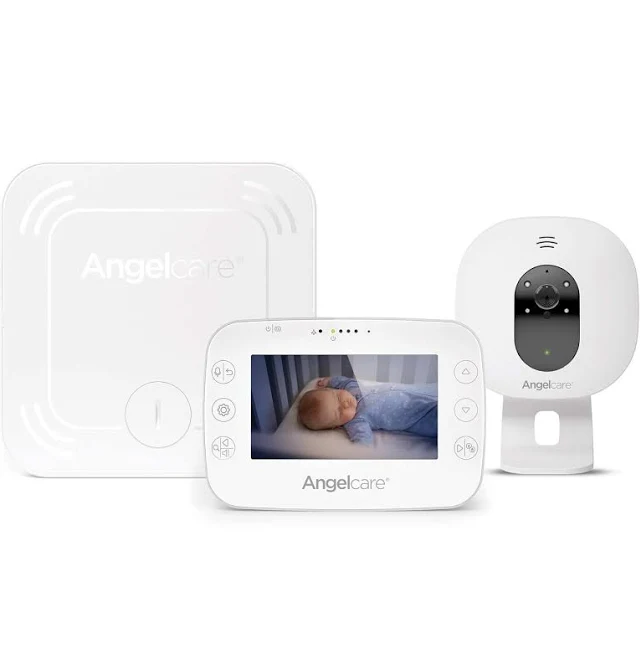
Angelcare AC327 Movement Monitor with Video
7. Nanit Pro Smart Baby Monitor
Nanit takes a different approach: an overhead camera mounted above the cot looking straight down, which gives you a full view of the whole mattress rather than a side-on angle you constantly have to re-aim. The overhead position plus computer vision is what powers its sleep tracking, which produces genuinely detailed reports on sleep duration, wake-ups and how often you went in. Approximate RRP for the camera with a mount is generally in the region of approx. $400 to $520.
It suits the data-minded parent, or anyone working with a sleep consultant who wants real numbers instead of a guess. It is squarely a wifi baby monitor with no parent unit, so your phone is the screen and your connection is the dependency, and the deeper insights and video history sit behind an ongoing plan. Nanit also sells breathing-motion garments that work with the camera; treat those as a comfort feature, not a medical safeguard.
- Overhead view is the best angle in this list for actually seeing your baby without re-positioning the camera.
- Sleep reporting is the most detailed of any monitor here and useful when troubleshooting a sleep regression.
- Wall or floor-stand mounting keeps cords away from the cot when installed as directed.
- Trade-off: no dedicated parent unit at all, so no phone or no internet means no monitor.
- Trade-off: highest ongoing cost of the group once the plan is factored in, and installation is more involved than sitting a camera on a shelf.
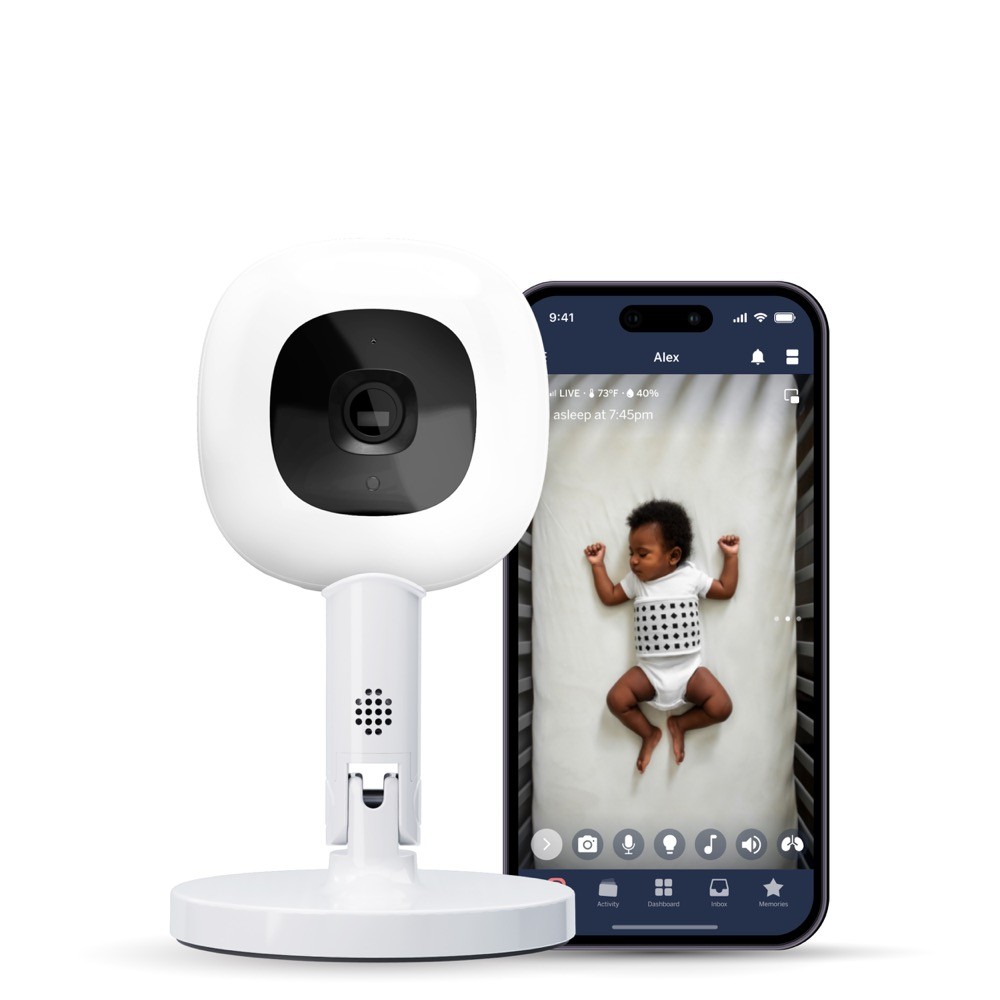
Nanit Pro Baby Monitor (Floor Stand)
Baby monitor camera comparison at a glance
| Product | Brand | Approx RRP | Key features | Best for |
|---|---|---|---|---|
| RM5764HD Smart Wi-Fi HD Video Monitor #1 | VTech | approx. $250 to $330 | Hybrid parent unit plus app, 1080p, pan/tilt/zoom, expandable | Most families who want both worlds |
| BM4700 Safe & Sound Pan & Tilt Budget | VTech | approx. $130 to $190 | Non-WiFi closed link, pan/tilt, VOX, two-way talk | Simple, private, no ongoing cost |
| Cubo Ai Plus Smart Baby Monitor Premium | Cubo Ai | approx. $450 to $600 | Covered-face and rollover alerts, sleep analytics, app only | Parents wanting AI safety alerts |
| Nursery Pal Cloud OBH500 | Oricom | approx. $250 to $330 | 5in touchscreen parent unit, PTZ camera, optional app | Australian brand with local support |
| Secure875 | Oricom | approx. $200 to $260 | Fully offline FHSS link, 5in screen, PTZ, temperature alerts | Privacy-first households |
| AC327 Movement Monitor with Video | Angelcare | approx. $300 to $400 | Under-mattress movement sensor plus video, offline | The 2am breathing worry |
| Nanit Pro Smart Baby Monitor | Nanit | approx. $400 to $520 | Overhead view, detailed sleep tracking, WiFi and app only | Data-driven sleep troubleshooting |
Want to see how these stack up? We’ve reviewed 26 baby monitors in total.
Breathing and movement monitors: what they can and cannot do
This deserves its own section because it is the reason many parents start searching in the first place, usually at an hour when nothing looks reassuring.
The honest position
No consumer baby monitor, camera or sock or under-mattress pad, is a medical device, and none of them has been shown to prevent sudden unexpected death in infancy. Australian safe sleep guidance from Red Nose is unambiguous on this: the protective factors are sleeping baby on the back from birth, keeping the head and face uncovered, a safe cot with a firm flat mattress that fits snugly, a smoke-free environment, and sleeping baby in the parents’ room for the first six to twelve months. A monitor sits on top of all of that. It never replaces any of it.
Who they genuinely help
What movement and breathing-adjacent monitors do reliably deliver is a reduction in checking behaviour, and for a parent running on four broken hours, that is not nothing. If your anxiety is currently costing you an hour of sleep a night in doorway visits, a system like the Angelcare AC327 or the alert features on the Cubo Ai Plus can buy that hour back. If, on the other hand, you know yourself to be the kind of person who will lie awake waiting for an alarm, adding one more thing that can beep may make your nights worse. There is no wrong answer, only an honest one about your own wiring.
Setting it up safely when they move into their own room
The transition around four to six months is when most of these get unboxed, often at 11pm by a parent who wants it working tonight. Ten minutes of planning saves a lot.
- Keep every cord at least one metre from the cot. This is the single most important rule of monitor installation. Camera power cords have caused strangulation deaths in Australia and overseas. Measure it, do not eyeball it.
- Mount rather than perch. A camera balanced on a chest of drawers can be pulled down once she is standing. Wall mounts and dedicated floor stands keep the camera and cord out of reach.
- Check the cot itself. The camera is the accessory; the cot must meet AS/NZS 2172, the mandatory standard covering bar spacing, mattress fit, depth and structural strength. If you are using a portable cot in a second room or at Nan’s, AS/NZS 2195 is the one that applies there.
- Frame the whole mattress, not the pretty angle. Set the camera up so the full cot is in shot at the widest position, then use pan and tilt for close-ups. A gorgeous close crop of a face is useless once she has shuffled to the far end.
- Test the range before bedtime. Walk the whole house with the parent unit, including the laundry, the garage and the back deck. Non-WiFi monitors in particular can drop out in exactly the spot you spend your evenings.
- Set up the security in daylight. If it is a connected camera, do the password, two-factor authentication and firmware update while you are awake enough to care.
- Dim everything. Screen-off audio mode plus a sound-activated setting means the room stays dark until she needs you.
What to skip, and what is not worth paying extra for
Monitor marketing is full of features that sound protective and function mostly as upsell. A few worth being sceptical about:
- 4K resolution. You are looking at an infrared image on a five-inch screen. Beyond 1080p, resolution is a spec-sheet number, not a night-time benefit.
- Air quality and humidity sensors. Nice in theory, rarely calibrated well enough to act on, and almost never the reason a baby wakes.
- Very long feature lists of lullabies and light shows. Most parents use one, once, then never again.
- Bundled second cameras you do not need yet. Better to buy an expandable system now and add a camera when the second baby actually arrives.
- Any product implying it prevents SIDS. Nothing sold as a consumer monitor is entitled to that claim. Treat it as a red flag about the brand’s honesty generally.
- Ultra-cheap unbranded WiFi cameras. A generic camera with no named manufacturer, no security update history and no Australian support is the exact profile of device that ends up in the news. If you want cheap, buy a cheap closed-link monitor rather than a cheap connected one.
What is worth the money
Parent unit battery life, screen-off audio, a decent infrared image, pan and tilt, and expandability. Those five things are what you will still be grateful for at eighteen months, when she is standing at the cot rail at 5am and you can see it from bed instead of guessing.
mum. Approved: our top 3 for 2026
A dedicated parent unit that keeps working when the internet doesn’t, plus optional app access when you’re out.
Offline, uncomplicated and pan-tilt capable at a price that leaves money for the rest of the nursery.
Covered-face and rollover alerts speak directly to the 2am fear, if you accept the app-only setup and the plan cost.
Frequently asked questions
Can a WiFi baby monitor really be hacked?
It can, but almost always through the account rather than the camera. The common pattern is a reused password that leaked in an unrelated breach, or a default password never changed. Choosing a brand that offers two-factor authentication, using a unique password, keeping firmware updated and securing your router removes the overwhelming majority of the risk. If that still makes you uneasy, a non-WiFi model such as the Oricom Secure875 or VTech BM4700 has no account to compromise in the first place.
At what age should we move baby into their own room?
Red Nose Australia recommends babies sleep in the same room as a parent for the first six to twelve months. Plenty of Australian families move earlier, often around four to six months when everyone’s sleep is being disturbed by each other’s noise, and a monitor is usually bought at exactly that point. Whenever you make the move, the safe sleep basics stay the same: on the back, face uncovered, firm flat mattress in a cot meeting AS/NZS 2172, and no loose bedding or bumpers.
Do breathing or movement monitors prevent SIDS?
No. No consumer baby monitor, camera, sock or sensor pad has been shown to prevent sudden unexpected death in infancy, and none is a medical device. What they can do is reduce how often an anxious parent gets up to check, which is a real quality-of-life benefit. Safe sleep practices remain the actual protection, and any product marketed as preventing SIDS should make you sceptical of the brand.
Will a non-WiFi monitor reach the back of my house?
Quoted ranges of 250m or 300m are measured in open field with no obstructions. In a typical Australian brick home, expect solid performance across two or three rooms and weaker signal through double brick, tiled roofs, foil insulation and across two storeys. Walk the parent unit through your whole house, including the back deck and laundry, within the return window. If you have a long or double-storey layout, a hybrid such as the VTech RM5764HD or Oricom Nursery Pal Cloud OBH500 gives you app coverage as a backstop.
Do I have to pay a subscription to use a smart baby camera?
Not always, but read the plan carefully before buying. Most connected cameras let you view the live feed, use two-way talk and receive basic alerts without paying. Subscriptions typically unlock stored video history, longer time-lapse, sleep analytics and, on some systems, the smarter alerts. Cubo Ai and Nanit both structure their best features around a plan, so factor two or three years of it into your comparison. Non-WiFi monitors have no subscription at all.
If we had to choose one, the VTech RM5764HD is our 2026 pick, because a dedicated parent unit that still works when the NBN drops out, paired with optional app access for the nights you are not home, solves more real problems than either a phone-only camera or a fully offline one. On a tighter budget the VTech BM4700 won’t let you down: offline, uncomplicated and genuinely enough for most families. If your worry is specifically about breathing rather than crying, the Angelcare AC327 or the alert features on the Cubo Ai Plus Smart Baby Monitor are the two worth the upgrade, as long as you hold onto the fact that safe sleep practices, not technology, are what actually protect your baby.
Where to buy these picks
✓ Verified prices are checked live at the retailer. Otherwise we show the approximate RRP (an indicative recommended price, not a live retailer price), or “price pending” where we don’t have one.
VTech RM5764HD Smart Wi-Fi HD Video Monitor
★ Best all-rounder monitor
All 4 prices we track for this pick
- Baby Zone $689.99 checked 21 Oct 2026
- Whole Bubs $749 checked 21 Oct 2026
- Baby Village $779 checked 21 Oct 2026
- Baby Bunting $799 checked 18 Oct 2026
VTech BM4700 Safe & Sound Pan & Tilt Video Monitor
Best simple and private
Oricom Secure875
Best for privacy first
Oricom Nursery Pal Cloud OBH500
Best Aussie local support
Angelcare AC327 Movement Monitor with Video
Best for breathing reassurance
Show all 7 picksShow fewer
Cubo Ai Plus Smart Baby Monitor
Best for AI safety alerts
The shortlist, in your inbox
New winners, price drops and recalls worth knowing.